
How to save any email to Notion by forwarding
Resources
Resources
Resources
Quick Start
Get StartedHow-To
How to delete a form?How to save Twitter/X Threads with the extensionHow to save any email to Notion by forwardingHow to save emails on GmailHow to save Tweet using the extensionHow to share and access forms with Save to NotionHow to take screenshots?How to save articles images in Notion?How to Export My Data?Save to Notion can also be used to save any email directly to your Notion workspace by simply forwarding it to your own dedicated address.
This is particularly useful for archiving newsletters, receipts, or any valuable email content you'd like to keep alongside your other notes.
Here's a simple guide on how to set it up.
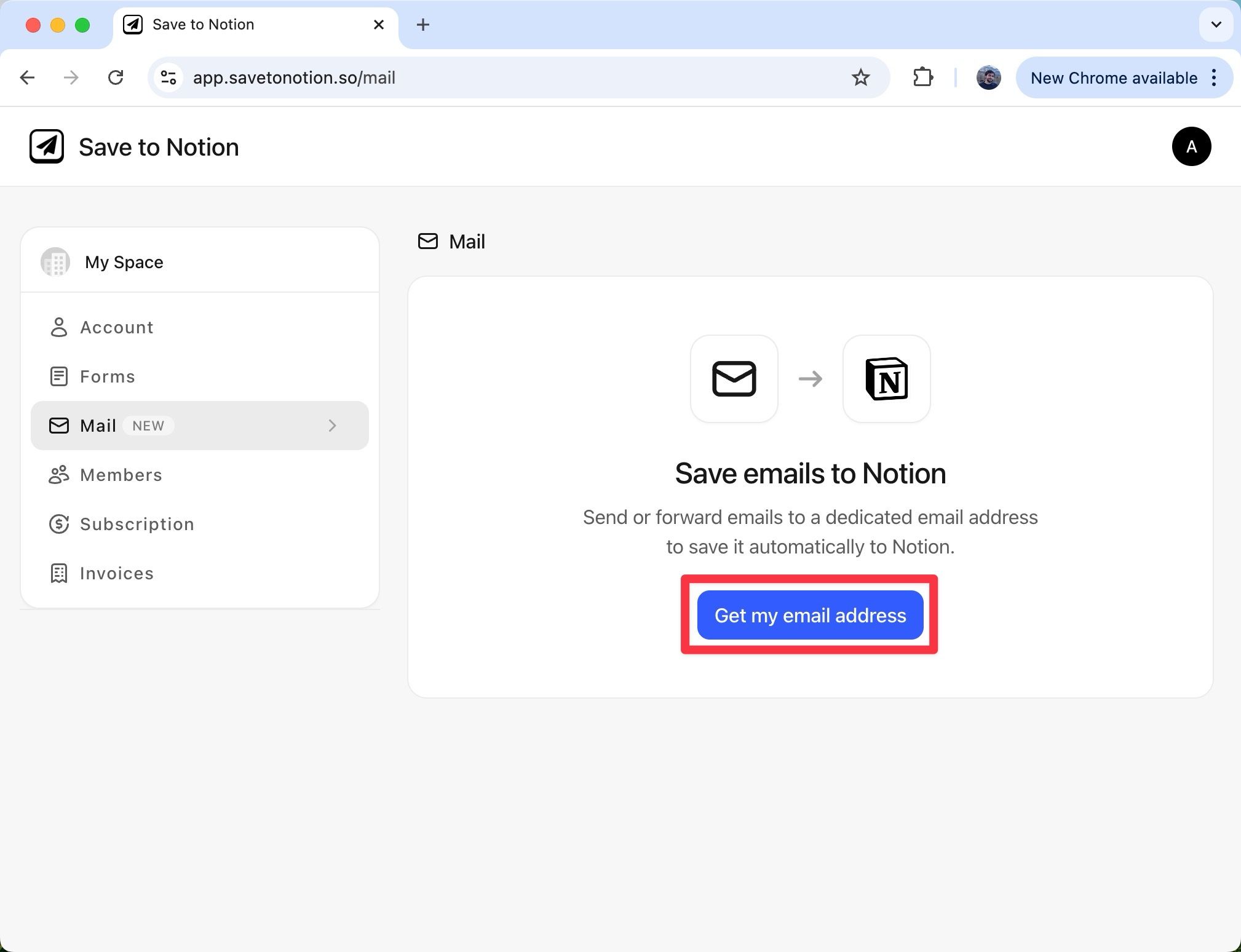
From the dashboard, open the Mail page and click "Get my email address" to start the setup.
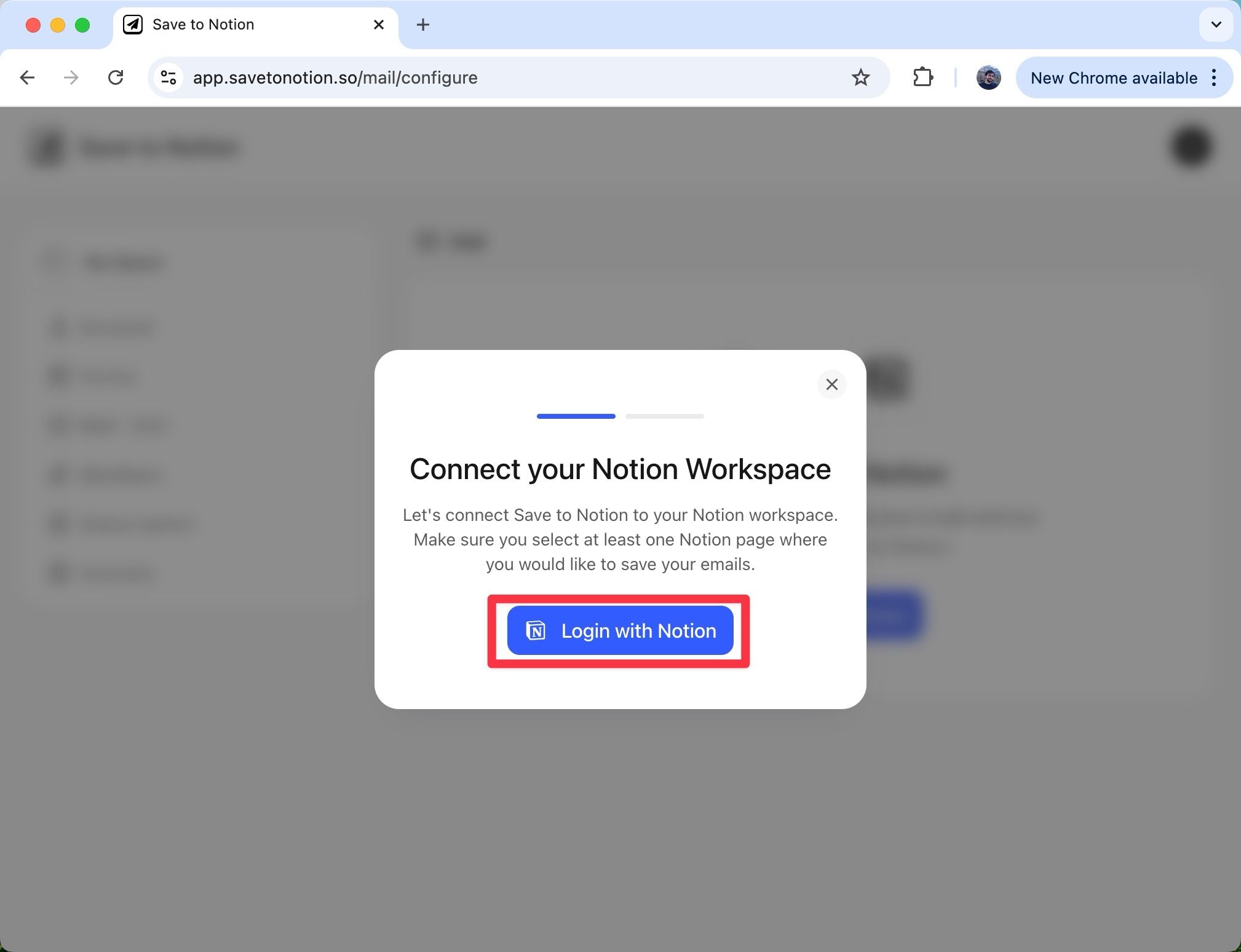
Next, click "Login with Notion" to authorize the integration.
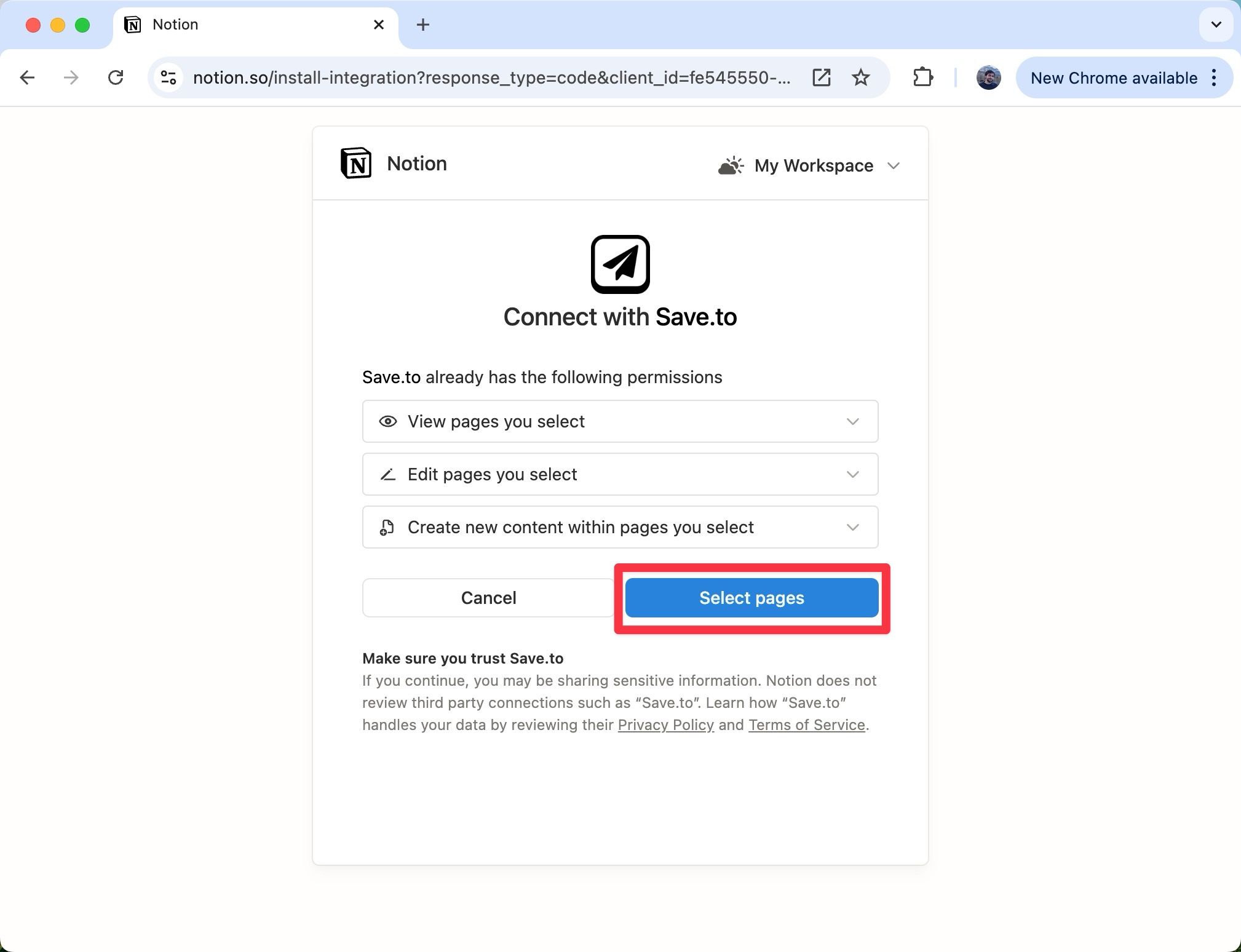
You'll be redirected to Notion. Click "Select pages" and pick at least one database or page where your emails should be saved.
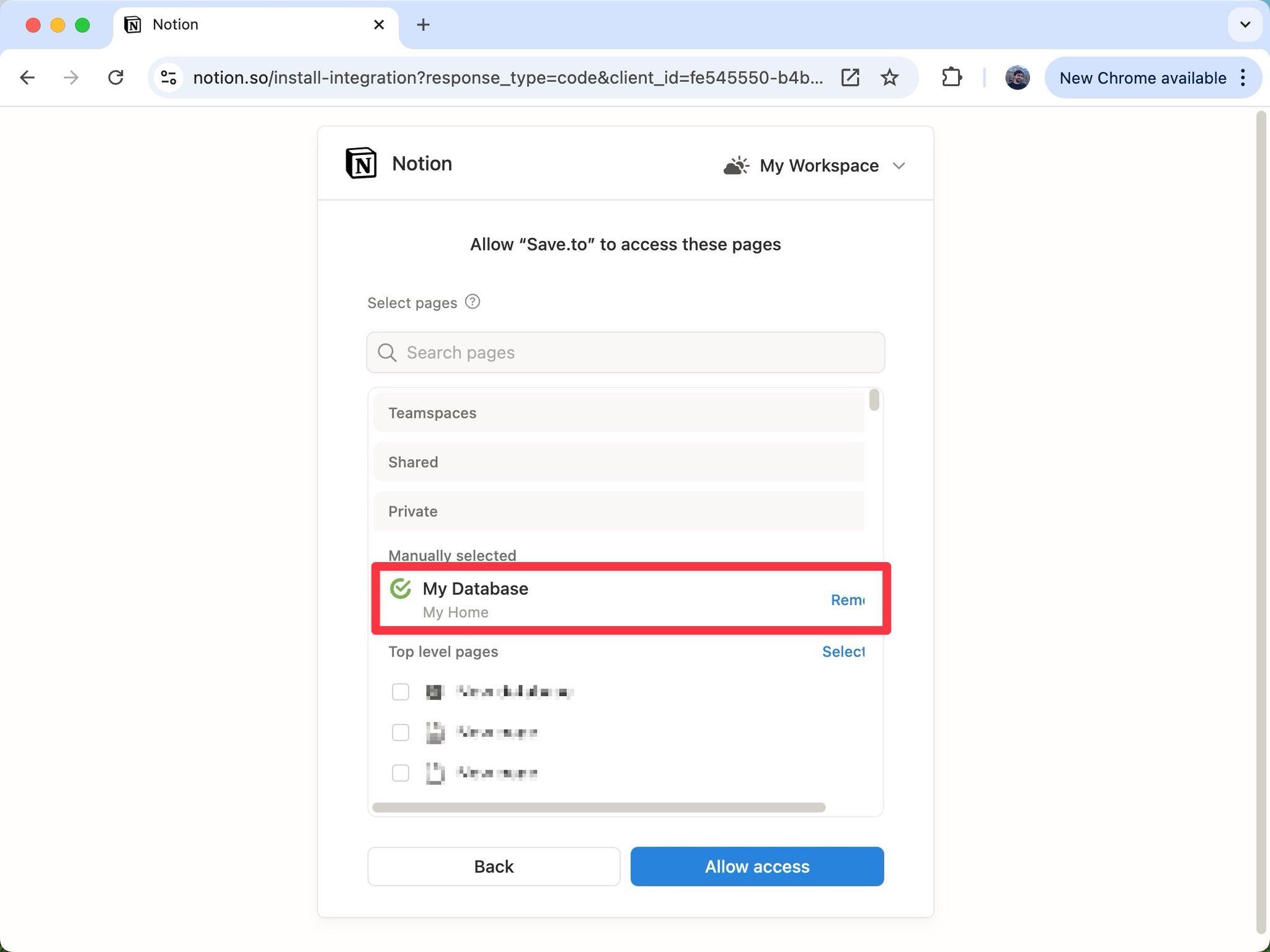
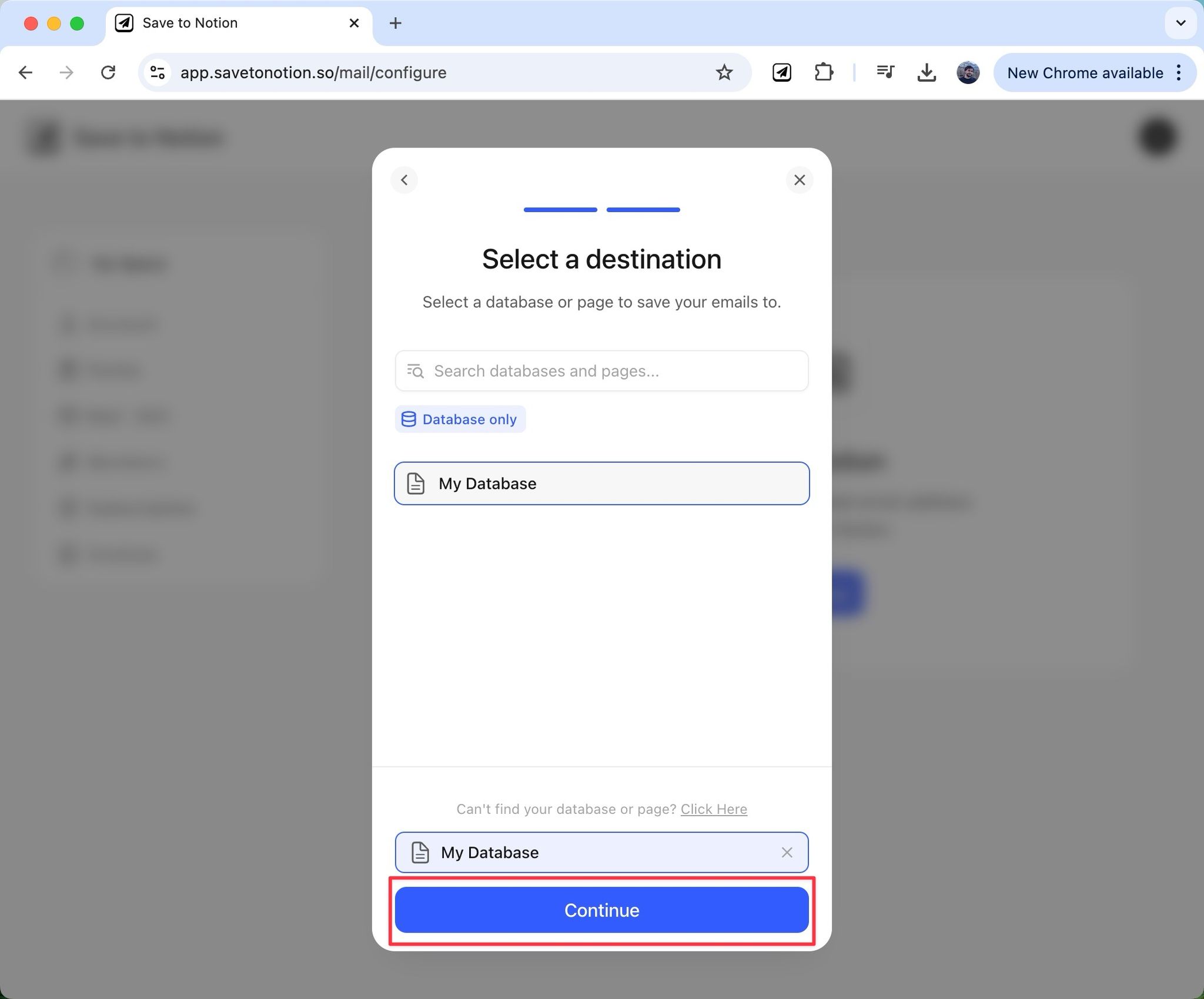
Back in the Save to Notion dashboard, select the destination from the list (in this example, "My Database") and press "Continue".
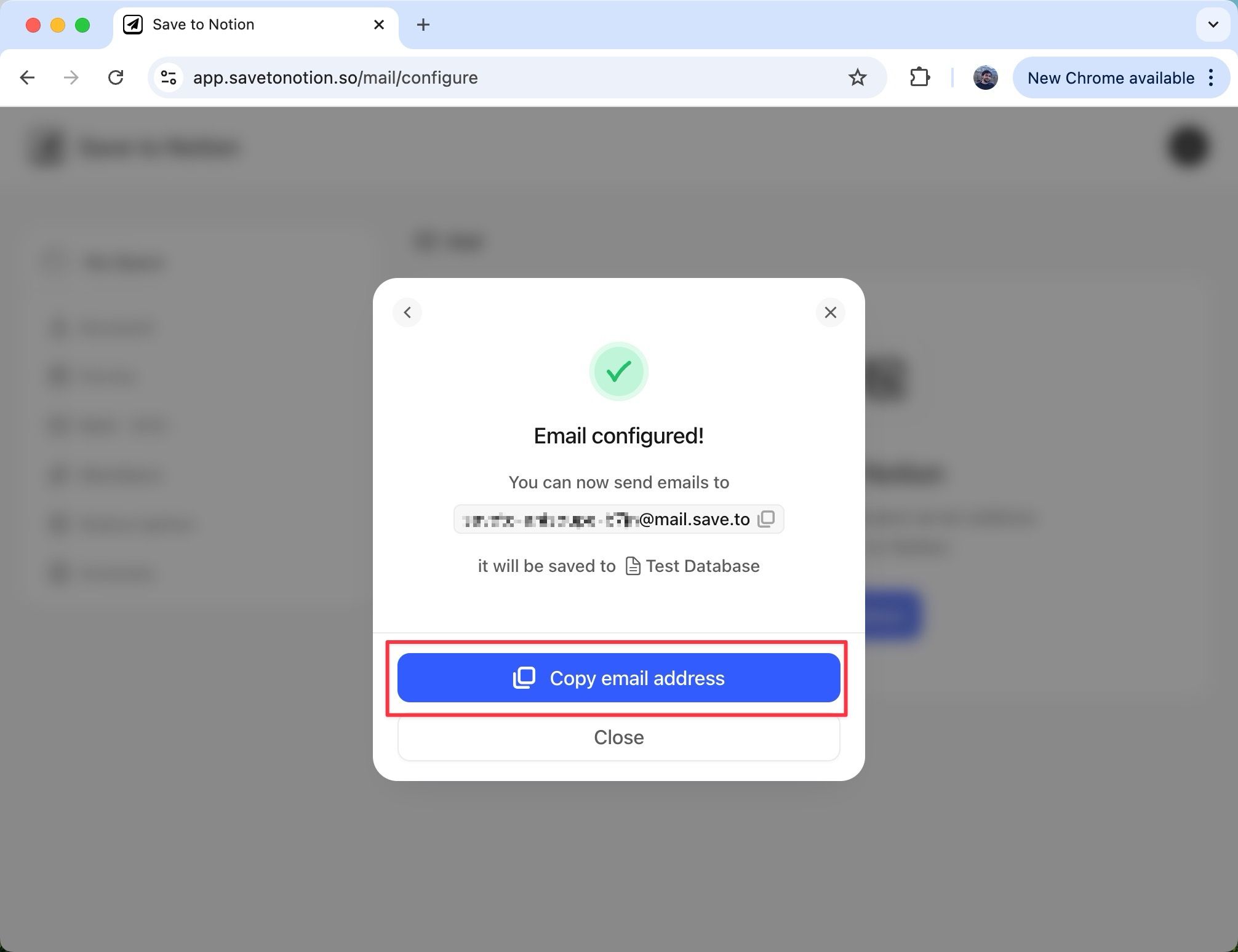
Your dedicated email address is now ready. Copy it to your clipboard — this is the address you'll forward emails to.
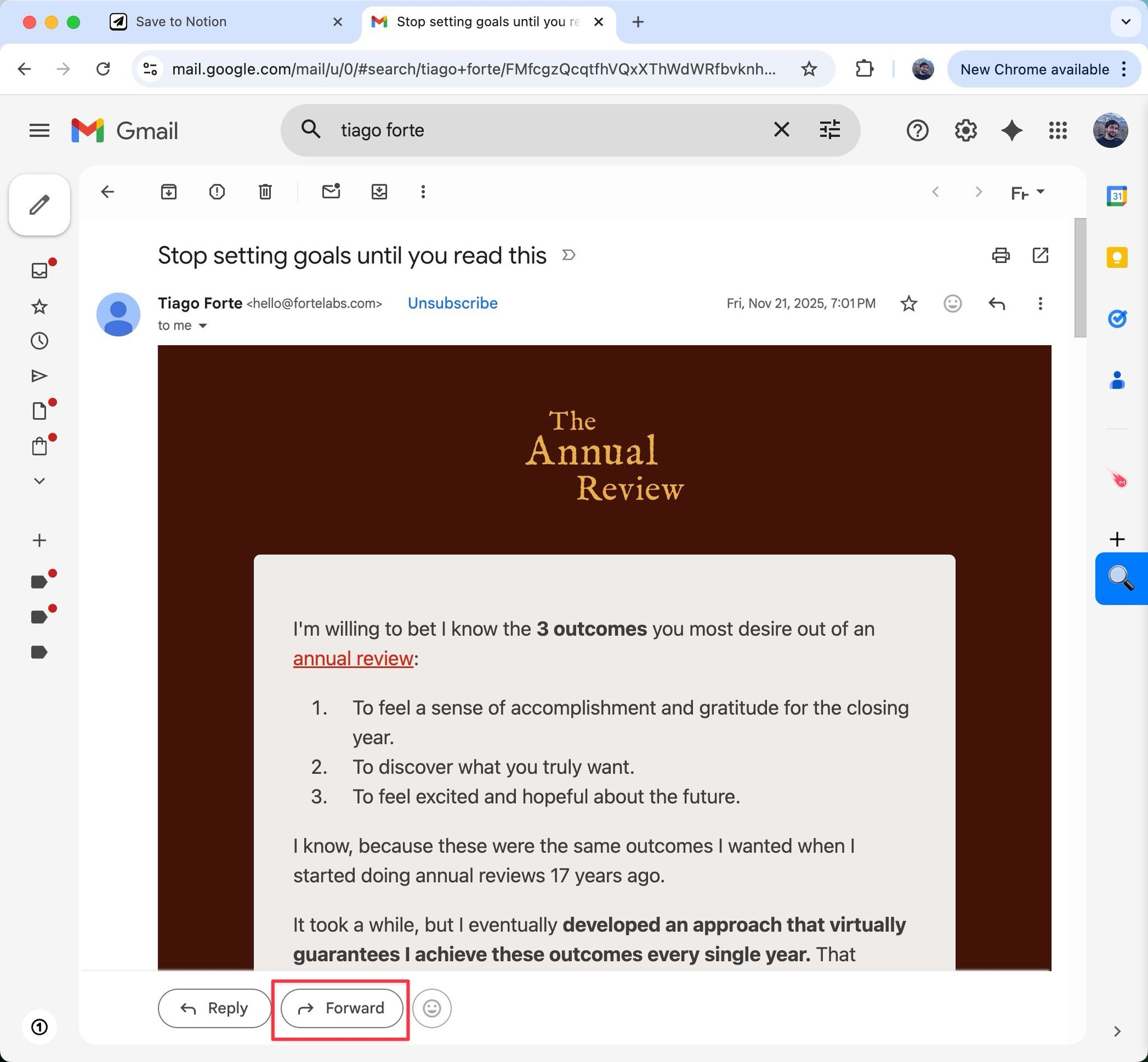
Open the email you want to save from your inbox. For this example, let's save an interesting newsletter.
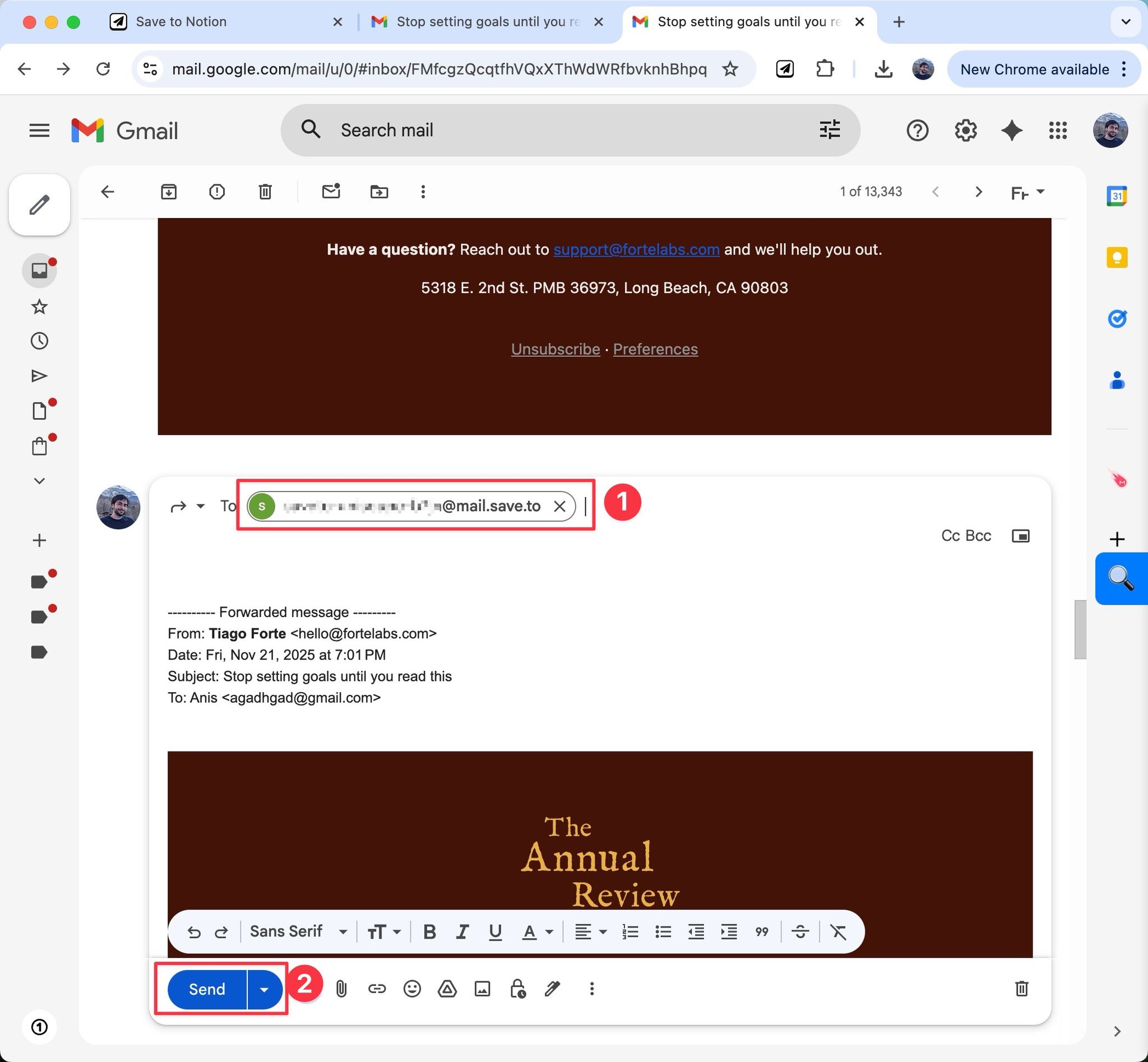
Forward it to the address you just copied (1), then press "Send" (2).
Within a few seconds, you'll receive a confirmation reply letting you know your email has been saved. Click "Open in Notion" to jump straight to the new page.
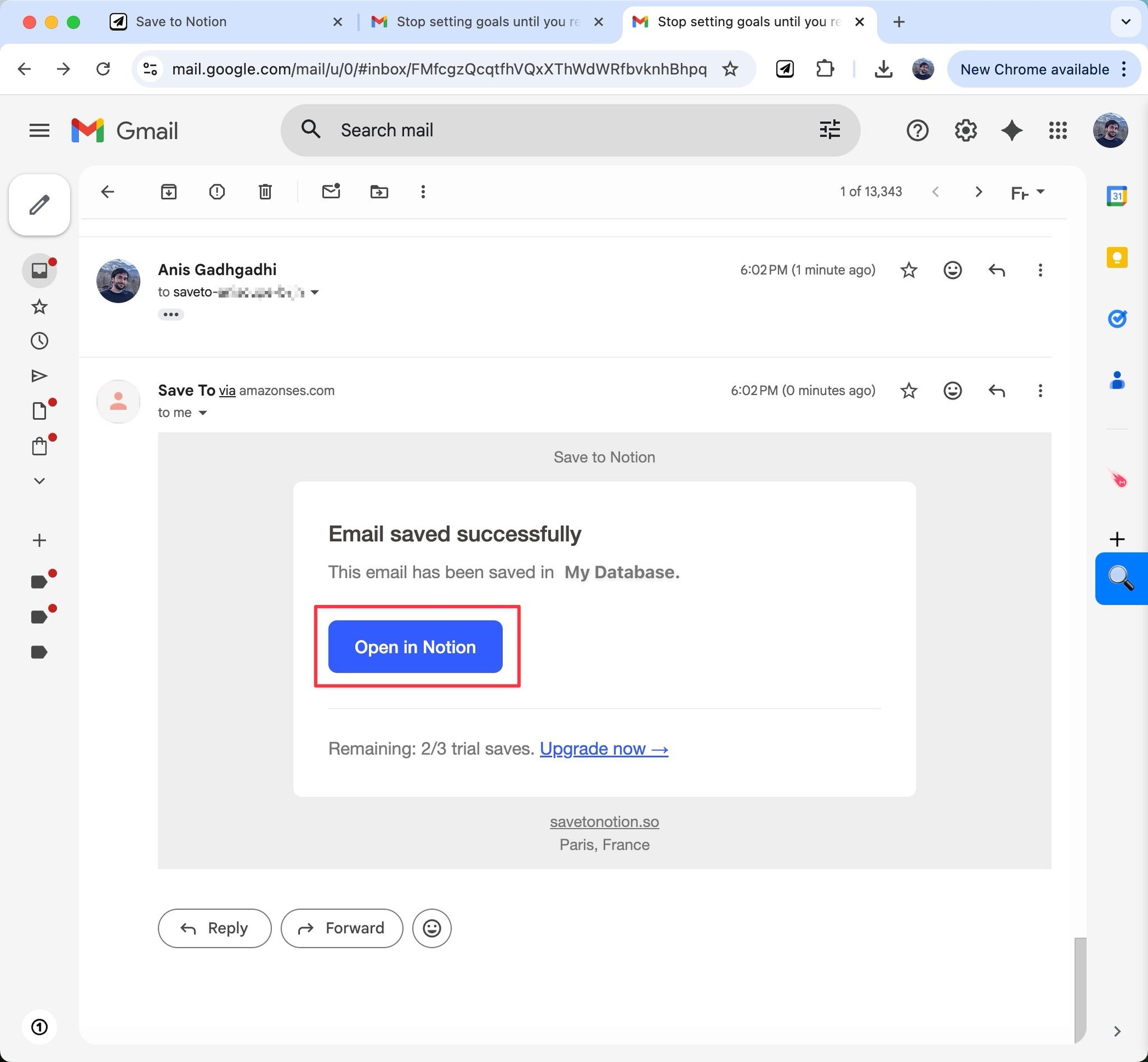
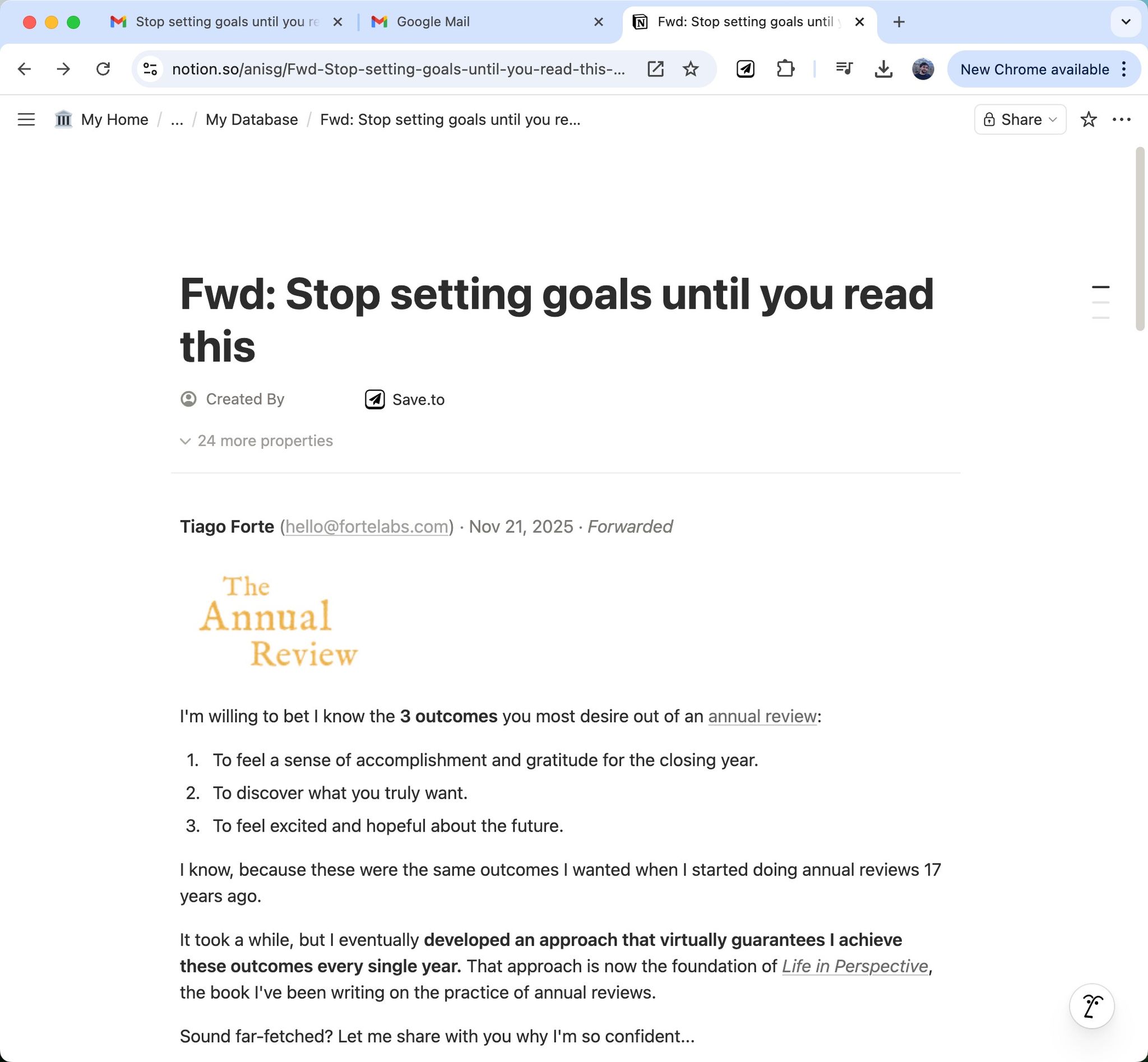
And that's it — your email is now a Notion page, fully searchable and ready to reference alongside the rest of your notes.
FAQ
- Is this feature free to use?
- You get 3 free saves during the trial. Beyond that, check our pricing page for details.
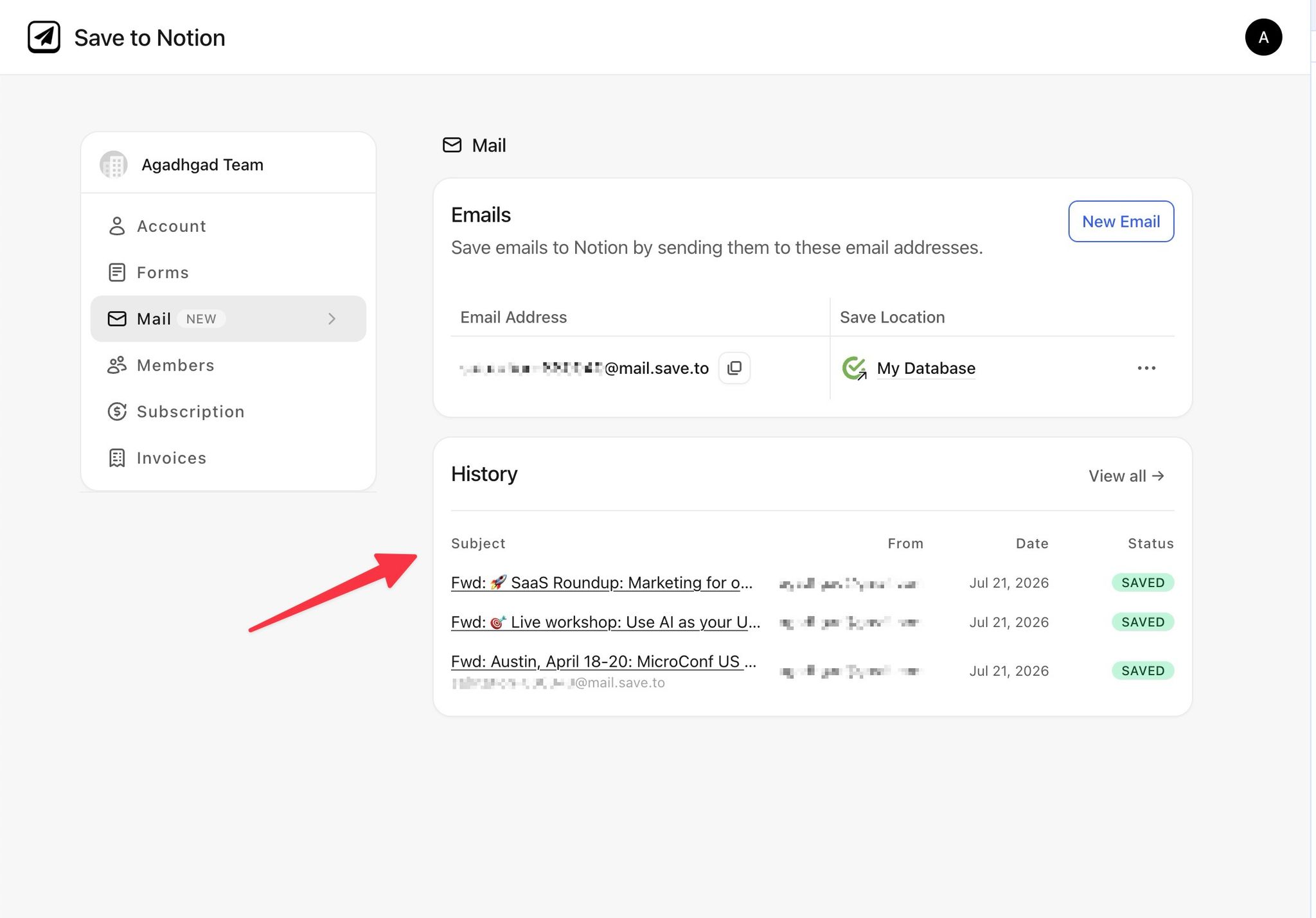
- Can I see a history of recently saved emails?
- Yes, you'll find a full history right on the Mail dashboard.
- Can I map emails to specific database fields?
- Not yet — this is on our roadmap and coming soon.
- Does it support attachments?
- Yes, email attachments are saved out of the box. You can turn this off anytime from your settings on the Mail dashboard.
- Can I rename the email address?
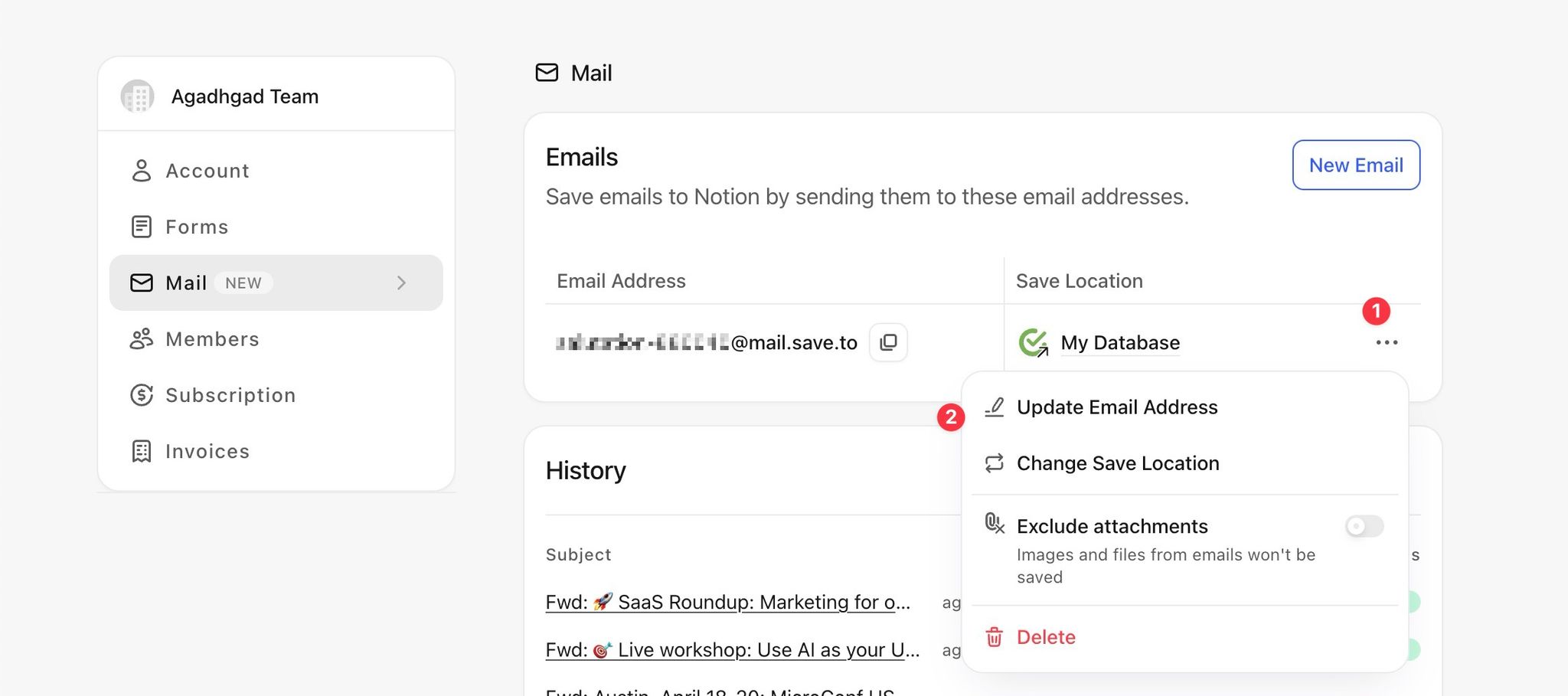
- Yes, you can rename the email address to something more memorable. Go to the Mail page, locate your email address, click its (1) "More" option, then (2) "Update Email Address".
- How many addresses can I set up?
- The Pro plan includes 1 email address, and the Team plan includes 5 — see our pricing page for more info.
- Are images downloaded into my Notion workspace?
- Yes, all images embedded in the email are downloaded and re-uploaded to your Notion workspace, so they stay available even if the original email source goes offline. This can also be disabled from your settings.