
Published August 14, 2026 in Product News
New: Save YouTube Transcripts

By Anis G
Save to Notion Founder
Published August 14, 2026 in Product News
By Anis G
Save to Notion Founder
You can now save the video and its full transcript together in Notion.
Timestamps and available chapters make it easy to search, scan, and revisit tutorials, interviews, lectures, and podcasts.
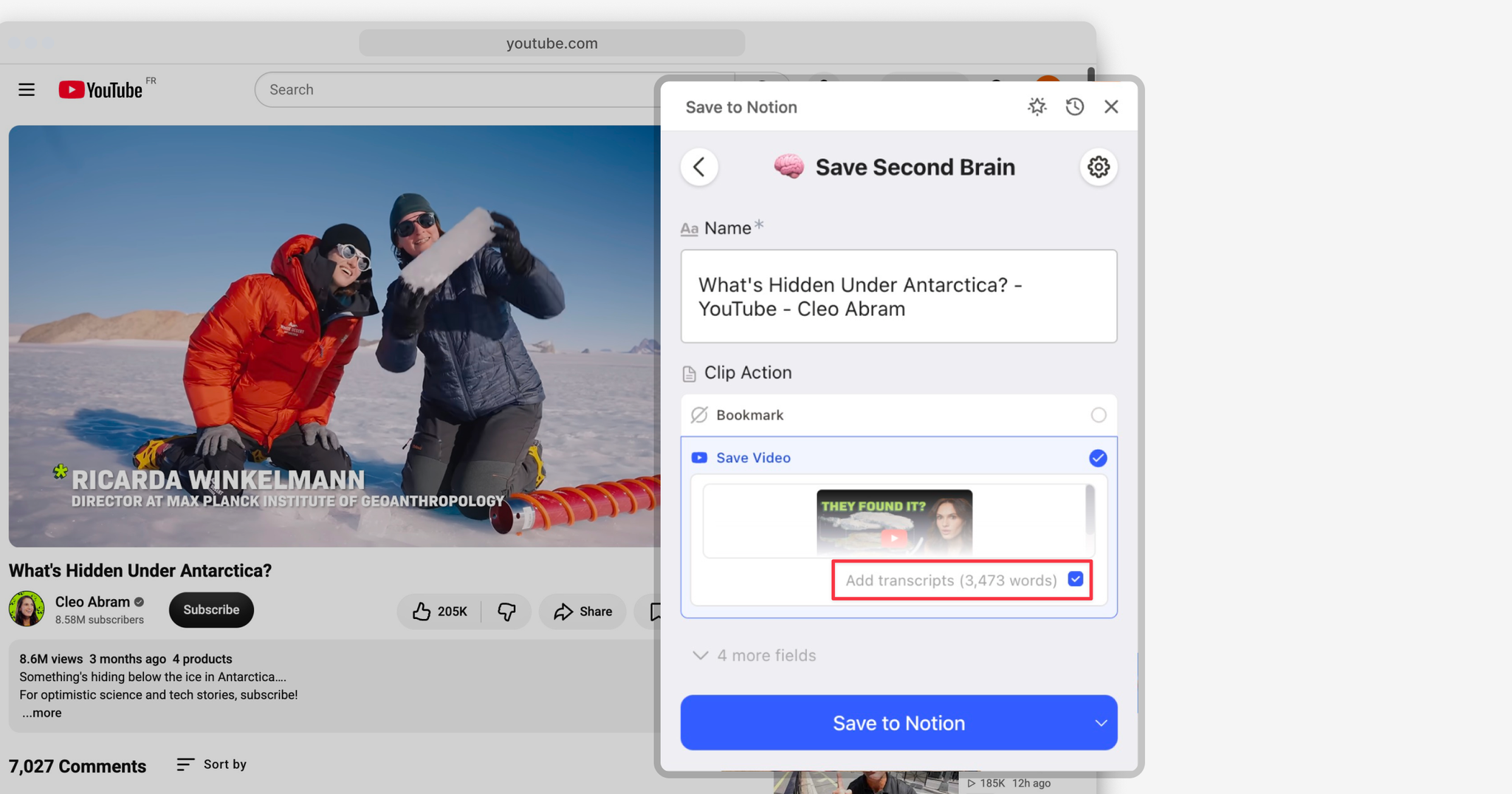
Open a YouTube video, launch Save to Notion, and choose Save Video. Leave Add transcripts enabled and save as usual.
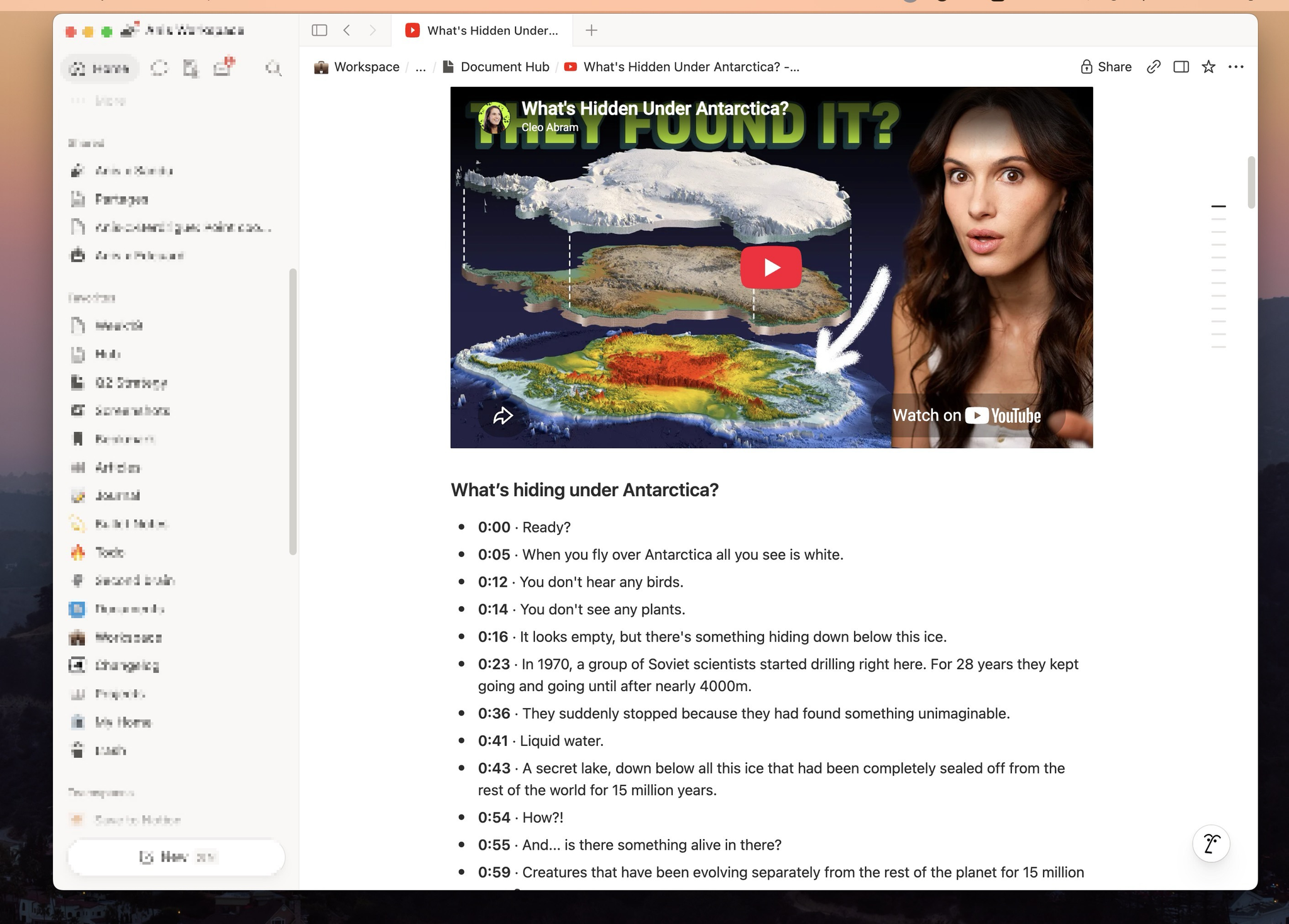
The transcript will appear directly below the video on your Notion page.
If a transcript isn't available, no worries: the video will still be saved normally.